
Industrial Equipment
Industrial equipment 3D configurator for clearer equipment selection
Industrial equipment rarely fits into a simple list of colors and prices. A packaging line may require a different feeder, guard, conveyor length, control panel or discharge unit for each plant. Buyers need to understand how those choices fit together before they are ready to speak with sales. A browser-based industrial equipment 3D configurator makes that early selection work visible.
Turn a technical product range into a guided selection process
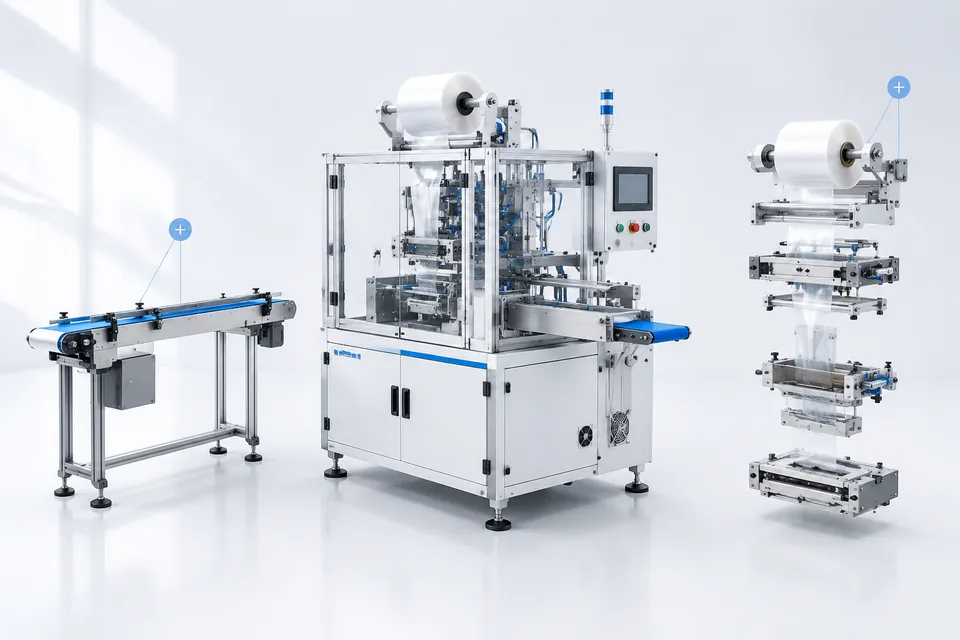
The configurator can begin with the machine family and then reveal only the options that apply to the selected model. Buyers rotate the equipment, zoom in on working areas and switch modules while the assembled machine remains in view. Short notes can explain capacity, dimensions, utilities or installation conditions beside the relevant part.
This is useful when a conventional product page has grown into a long table of model codes. Instead of comparing several PDF files, a visitor can work through the main choices in one place. Rules can prevent incompatible combinations or tell the buyer when an option requires engineering review.
Capture the configuration behind the inquiry
A useful machinery inquiry needs more than a name and email address. It should tell the sales engineer which base model, modules and dimensions the visitor selected. The 3D equipment configurator can create a readable configuration summary and attach it to the inquiry form. The sales team receives a starting point for discussion rather than a general request for a catalogue.
Pricing can be handled in the way the project requires. Standard options may show an estimated price, while engineered items remain marked for quotation. The configurator can also pass option codes, notes and contact details to an existing CRM, quotation workflow or internal system through an agreed interface.
Built for real machinery data
The work normally starts with the product structure, not with animation. Model families, selectable parts, dependencies and sales rules are mapped before the interface is built. Existing CAD or 3D assets are then prepared for the web, with geometry and textures reduced carefully enough to load on ordinary office computers and mobile devices.
The final result can be embedded in a corporate website or opened as a dedicated sales tool. Depending on the equipment, the project may include exploded views, operating-position animations, measurement labels, technical hotspots, saved configurations and multilingual content. Each function should answer a real buyer question; unnecessary controls only make a technical product harder to understand.
Internal users can work from the same configuration logic. A distributor may open a prepared model during a call, adjust the requested modules with the customer and send the resulting reference to the manufacturer for review. This keeps a visual sales conversation tied to the option codes used later in the project.
Where this solution fits
Industrial 3D configuration works well for packaging machines, production equipment, material-handling systems, laboratory instruments and other modular products. It is especially helpful when buyers repeatedly ask which components work together or when sales staff spend time translating informal requests into an equipment list.
The configurator is not a substitute for final engineering review. Site conditions, safety requirements, compliance and custom fabrication still need confirmation. Its job is to make the first conversation more precise and give both sides the same visual reference.
Planning an industrial equipment configurator? Send us your product catalogue, option table or a representative 3D model. We will review the configuration logic and suggest a practical web delivery scope.