
Web 3D WordPress
WordPress Web 3D product viewer for B2B websites
Many B2B WordPress sites explain a physical product through a gallery, specification table and downloadable PDF. That works until the buyer needs to inspect a mechanism, compare finishes or understand which part a paragraph describes. A Web 3D product viewer adds an interactive product layer while the normal page content remains available to search engines and visitors.
Embed 3D where the product is already explained
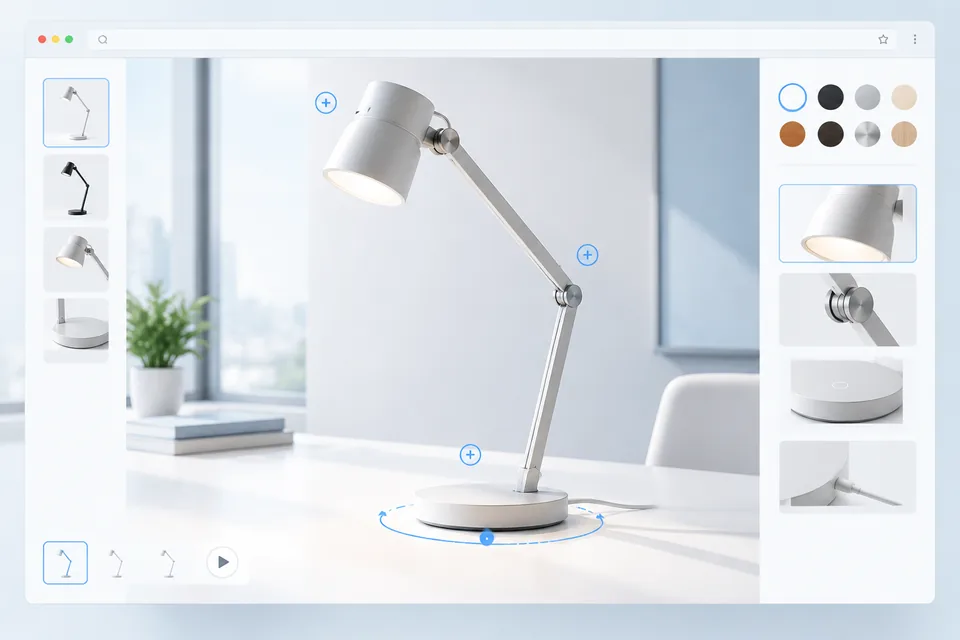
The viewer can sit inside a product page, landing page or case study. Visitors rotate and zoom the model with a mouse or touch gesture. Hotspots can move the camera to a component and open a short note, image, specification or video. Option controls may switch colors, materials or selected parts when the page needs light configuration.
The surrounding WordPress content remains ordinary HTML. Headings, body copy, tables, captions and internal links can still be managed as page content instead of being locked inside the 3D canvas. This matters for accessibility, search visibility and routine editorial work.
Choose an integration that fits site maintenance
Depending on the website, the 3D experience can be inserted with a shortcode, custom block, template component or managed embed. Common values such as model URLs, poster images and product IDs can be exposed as fields for editors. More complex rules and integrations may use a dedicated application connected to the WordPress page.
We also check how the site handles caching, content security rules, lazy loading and responsive media. A viewer that works only in an isolated test page is not finished. It needs to coexist with the active theme, form plugin, analytics setup and mobile navigation.
Prepare models for ordinary browsers
CAD exports and rendering assets generally need optimization before they can be used online. We reduce geometry, rebuild materials, compress textures and test the result on representative devices. A poster image can appear before the model loads, giving the page a stable visual area and useful fallback.
Interaction is adjusted to the product. An architectural component may need section views and measurements. A lamp may need material changes and light-state examples. An industrial part may benefit from hotspots and an exploded sequence. The controls should match the questions buyers actually ask.
Connect product interest to the next action
The page can pass a selected product, finish or configuration reference into an existing inquiry form. Calls to action may link to a distributor, request a sample or open a quotation form. For WooCommerce projects, selected values can be mapped to variants or cart properties when the product data supports it.
Web 3D is not a substitute for the written specification. It gives the visitor a clearer way to inspect the product, while WordPress continues to handle the page structure, editorial content and lead path.
For multilingual sites, model interactions can use the same language structure as the surrounding pages. Labels, hotspot copy and calls to action can be stored separately from the 3D asset, so editors are not forced to duplicate the model for every language. Search metadata and translated body content remain under the site's normal WordPress controls.
Want to add an interactive 3D product to WordPress? Send the page URL, a sample model and the actions visitors should take. We will recommend an embed and content structure that fits the existing site.