
 English
 繁體中文
Toyota 3D Car Configurator: Online Color Change, Doors, Lights & Interior View
Toyota web 3D car configurator: change the car color online, open and close doors, switch lights on, open the trunk and view the interior — interactive 3D running directly in the browser.
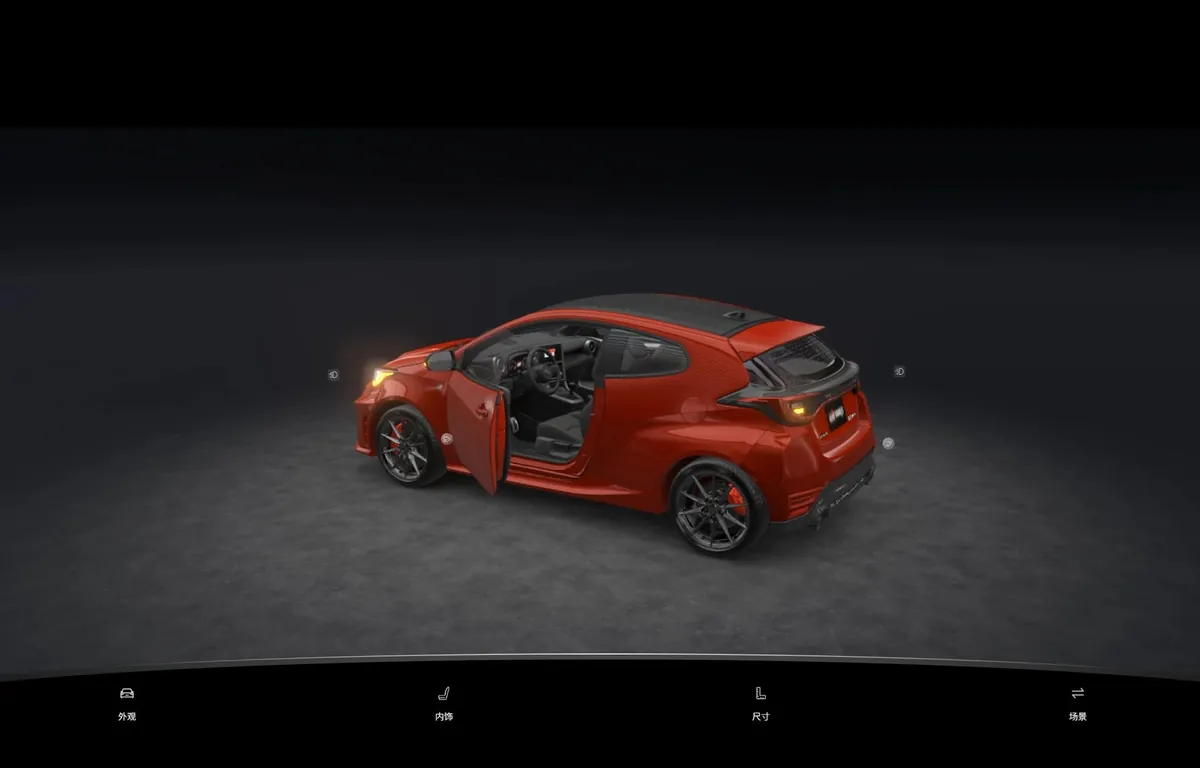
This Toyota web 3D car interaction demo lets customers explore the vehicle online: change the exterior color in one click, open and close the doors, switch the lights on, open the trunk, and view the interior — all running directly in the browser without any plugin.
Project Background
Static photos and short videos can only show one angle at a time. For a car, buyers care about far more: how the paint looks under different light, how the doors open, what the cabin feels like from the driver seat. We turned the Toyota vehicle into an interactive web 3D experience so these questions can be answered on the page instead of in the showroom.
Interactive Features
Color change: customers can switch between available paint colors online and see the body update in real 3D. Doors: the front doors can be opened and closed to reveal the cabin. Lights: headlights and tail lights can be switched on to preview the lighting effect. Trunk: the trunk opens to show the storage space. Interior view: customers can move the camera inside the car and examine the dashboard, seats and trim details.
Business Value
For the brand, the configurator keeps visitors on the page longer and gives sales teams better-qualified inquiries: buyers arrive already knowing the color, the features and the interior they want. The same build can also be reused in showrooms and on tablets, making one 3D asset serve marketing, sales and after-sales communication.