English
 繁体中文
繁体中文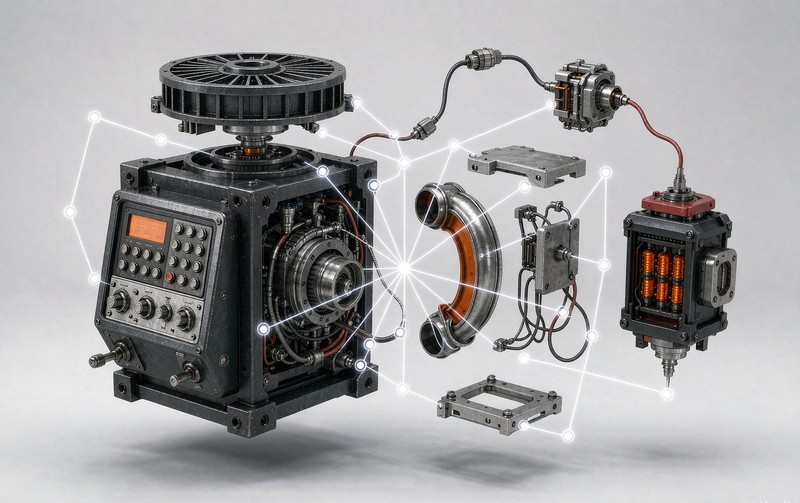
A visitor lands on your 3D product page, spins the model twice, and leaves. Nothing broke. The model loaded fine, the lighting looked good, and the analytics will even record a healthy interaction rate. What actually happened is quieter: the buyer had three specific questions about your product, and the page answered none of them.
That gap between "has 3D" and "sells with 3D" is where most projects stall, and we see it from the inside regularly — the deployment itself is rarely the hard part once a team has been through a full 3D product configurator build; deciding what the model should *do* is. Surveys consistently show the expectation is there — one 2026 study put the share of consumers who expect interactive 3D imaging while shopping at 78 percent, up from roughly half two years earlier, and Shopify has reported pages with 3D content converting dramatically higher than those without, though its 250 percent figure deserves the usual skepticism since it aggregates self-reported merchant data. The number I trust more comes from agency-side measurements: time on product pages tends to rise 50 to 70 percent when a genuinely explorable model is present. But attention alone pays no invoices. What converts is when each interaction answers a question the buyer was already carrying.
Here are the seven that matter, in roughly the order I would deploy them.
1. Free rotation and zoom
This is the baseline, and it answers a question photography has never been able to: what does it look like from the angle you didn't shoot? Buyers know a gallery shows the brand's best angles. A model they can turn themselves removes that filter, which is why zoom-into-stitching behavior on a sofa model predicts purchase intent better than almost any scroll metric. Build cost is low since rotation comes with any 3D viewer, but do not skip the details buyers zoom toward — seams, ports, fasteners, texture grain. If those are muddy, rotation becomes proof that the product is badly made rather than evidence it is worth buying.
2. Hotspots on components
A hotspot is a marker pinned to a part of the model that opens a short explanation when tapped. Its job is to replace the specification table for buyers who never read specification tables. Where does the water inlet sit on this machine. What hardware is included with this module. Is the frame steel or aluminum. Each hotspot should carry one answer in under twenty words, and the best ones move the camera slightly toward the part as they open, so the buyer sees the component in context rather than reading about it in the abstract.
3. Exploded or assembly views
Furniture with cam-lock fittings, equipment that ships in modules, anything a buyer will assemble or install themselves — these products generate a silent objection that kills more B2B deals than price does: how bad is setup going to be. An exploded view that separates the product into its parts, with an animation that reassembles it in sequence, answers that objection visually in about six seconds. On our industrial equipment projects this is routinely the interaction that service teams ask for first, because every minute of assembly confusion they prevent is a support ticket that never gets written.
4. Instant material and color switching
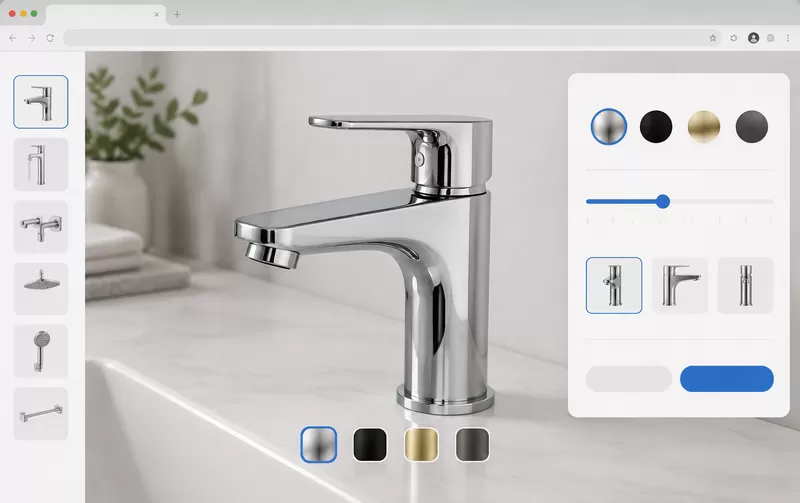
Color swatches on a photo gallery show you a picture of a different product. Material switching inside a 3D scene shows you the same product wearing a different finish, with the highlights, shadows and texture responding correctly — walnut reads as walnut, brushed steel as brushed steel. The psychological difference matters more than the technical one: the buyer stays anchored to one object they have already started to evaluate, instead of jumping between images and losing their place. For made-to-order categories this interaction does the work of an entire sample library, which is why our custom furniture configurator work treats finish switching as the core interaction rather than a feature.
5. Scale and context reference
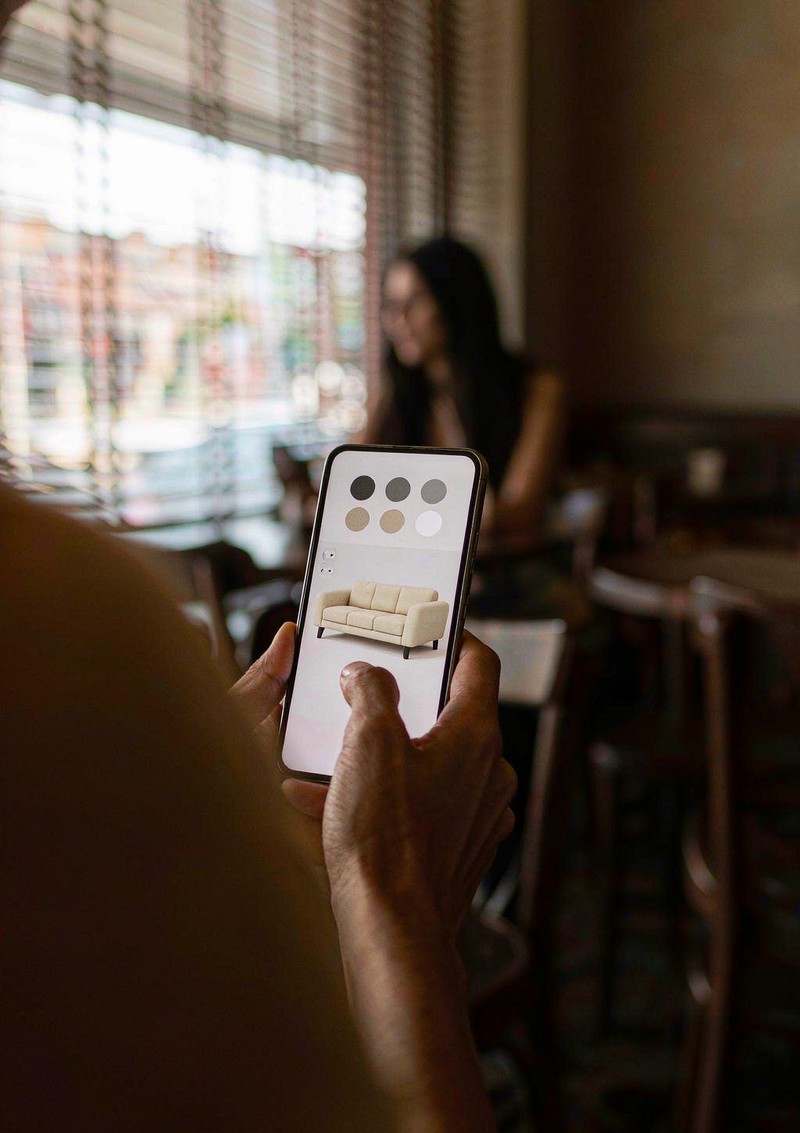
Will it fit. Is it huge. Does it dwarf the desk. Photos fail at scale because nothing in the frame carries a known size. Inside 3D you can place the product next to a door, a desk, a standard chair, or drop it into a room grid, and the buyer's brain does the rest instantly. True AR placement — projecting the model into the buyer's actual room through the phone camera — is the strongest version of this, and on iOS and Android it now runs in the browser without an app install. Even the humble version, a human silhouette or standard furniture set beside the model, resolves most scale questions.
6. Save, share, and quote
On consumer sites this is convenience. On B2B sites it is the mechanism by which purchases actually happen, because the person configuring is rarely the person approving. A configuration that can be saved and shared as a link turns the internal champion into a messenger: they send the exact build, options and price to the decision-maker, and the conversation continues from a concrete artifact instead of a memory. Every configuration shared is also intent data your sales team can act on. If your buyers involve more than one person, this interaction outranks several flashier ones.
7. Guided sequences
The optional layer. A short camera tour that flies through the product's key features, or a step-by-step walkthrough that highlights one component at a time, helps with products whose value is not visually obvious — instruments, machines, engineered systems. It is also the most expensive interaction to produce well and the easiest to produce badly. A guided tour that cannot be skipped becomes a wall between the buyer and the model, and nothing on a product page gets abandoned faster than an unskippable video pretending to be interactive.
Choosing what to build first
| Your situation | Build first | Can wait |
|---|---|---|
| Simple product, few variants | Rotation, zoom, 2-3 hotspots | Guided tour |
| Made-to-order or many finishes | Material switching, then scale reference | Exploded view |
| Buyer assembles or installs it | Exploded/assembly view, hotspots on fittings | Guided tour |
| B2B, multi-stakeholder decisions | Save/share/quote, hotspots | AR |
| High-consideration home goods | Scale reference, material switching, AR | Guided tour |
One warning belongs in every plan like this. Interactions are not free at runtime — each one adds code, model complexity, or loading weight, and a page that takes eight seconds to become interactive will lose the conversion the interactions were meant to win. The discipline that separates professional deployments from impressive demos is choosing fewer interactions and making each one load fast and feel immediate. Mobile deserves its own chapter here, because the gesture conventions, tap targets and performance budgets that work with a mouse will quietly fail on a phone, which is where most of your traffic already lives.
One measurement habit closes the loop after launch. Tag each interaction as an analytics event — rotation sessions, hotspot opens, material switches, AR launches, quote submissions — and compare them against inquiries for the same products. Within a quarter you will usually find two or three interactions carrying nearly all of the purchase-path activity, and a long tail nobody touches. That report is worth more than any benchmark in this article, because it is your buyers telling you which of their questions actually needed answering, and it turns next quarter's build budget into a data decision rather than a taste argument.
If you are weighing which of these your own catalog justifies, describe the product and its option structure to us through our contact page — we will tell you which interactions earn their build cost and which are decoration, including the answer "none of them yet" when that is the honest one.
FAQ
Q: How many interactions should a 3D product page have?
Three to five well-executed ones. Beyond that, each addition costs loading time and attention, and the data rarely justifies the seventh interaction the way it justified the second.
Q: Do 3D interactions slow down my product page?
They can, if built carelessly. Compressed GLB models with lazy loading and device-based quality tiers keep first meaningful render under 2.5 seconds on mid-range phones, which is the budget to hold.
Q: What is a hotspot in a 3D product viewer?
A tappable marker pinned to a component that opens a short explanation, often nudging the camera toward the part. It replaces spec-table reading for buyers who explore instead of read.
Q: Is AR necessary for a 3D product page?
Rarely on day one. Rotation, hotspots and material switching answer most purchase questions. AR earns its place for products where fit in a real space decides the sale — furniture, appliances, large equipment.