English
 繁體中文
繁體中文
Search for 3D configurator examples and you land on software rankings. Twenty-five tools compared on API access and pricing tiers, all scored out of ten, none of them showing you what an actual configurator does when a customer uses it. Useful if you're buying software. Useless if you're trying to figure out what your own configurator should do.
So here are eight real ones, described at the level of what's publicly observable on the live pages, with the one decision each brand got right and where that decision applies to a manufacturer reading this. No vendor-reported conversion figures in this piece, partly because they're unverifiable and partly because the mechanics are the transferable part.
Car configurators set the expectation bar
Start with Tesla's design studio, which is the page most people have seen even if they've never touched a 3D configurator anywhere else. Pick a model, then a trim, then paint, wheels, interior. Two things happen that matter. The price updates at every step instead of appearing at the end, and options that conflict with what you've chosen stop being offered rather than failing validation later.
That combination is why car configurators feel trustworthy and most furniture configurators don't. The buyer always knows what the current build costs and never gets attached to something they can't have. Any manufacturer selling a web 3D car configurator — or selling anything configurable, honestly — can copy the mechanic without copying the budget.
BMW's configurator takes the same idea into a harder problem: an option list long enough that a naive build would produce nonsense combinations at scale. Packs, trims, regional equipment codes. The lesson there isn't visual, it's structural. The brand invested in the dependency layer first and the pretty viewer second, which is the order that survives a catalog of this size.
Furniture: where the returns argument lives
IKEA's AR work gets cited constantly, and for once the hype has a solid mechanism behind it: place the item at true scale in the actual room, and the "it looked smaller online" return reason loses its footing. The implementation detail worth copying is the fallback path. Where AR isn't supported, the shopper still gets a usable viewer rather than a dead button, which is the practical way to roll out WebAR product visualization across a mixed device base.
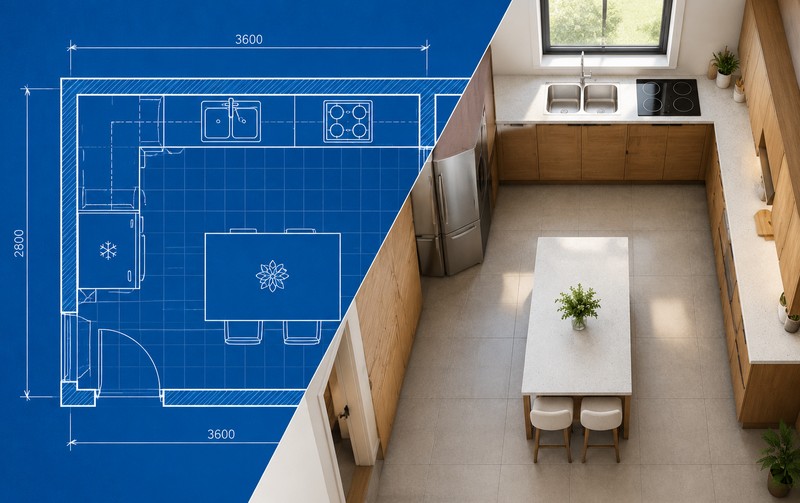
Kitchen planners, the IKEA and Wren type, solve a different problem and arguably a more commercially valuable one. The customer doesn't just pick a cabinet door; they lay out a room, and the configuration has to survive contact with manufacturing: dimensions that add up, units that exist in that width, a design that can be priced and built.
We wrote about the production end of this in 3D configurator for kitchen cabinets, because that's where most of the engineering effort hides.
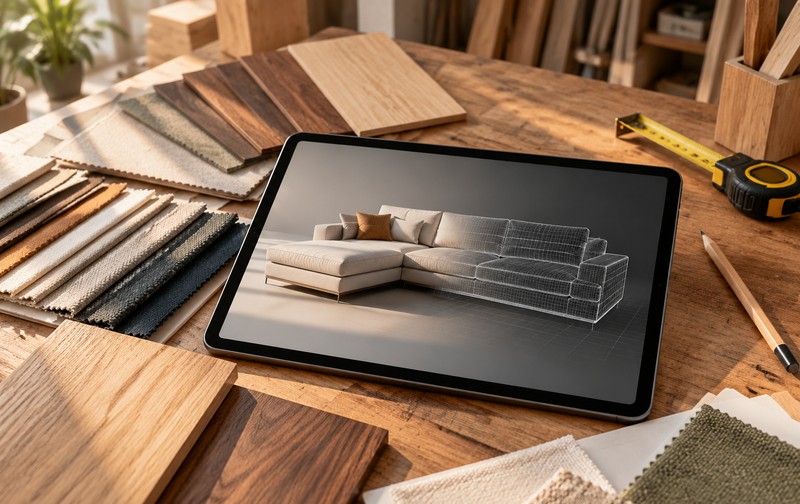
Then there's the DTC sofa aisle. Brands selling made-to-order upholstery have converged on a pattern: a handful of models, a fabric library, a leg finish choice, and a live price. It looks simple, and the simplicity is the achievement. Each fabric in that library is a real, stocked, cuttable material, and the configurator refuses to let a shopper assemble something the sewing floor can't produce. Constrained choice, not free choice. Buying furniture configurator software that ignores this distinction is how brands end up with beautiful demos and unbuildable orders.
Footwear and eyewear: solving fit and taste
Nike By You is the clearest example of zone-based customization done at scale. The base silhouette is fixed; you're choosing color and material per zone, plus a couple of text options. Nobody designs a shoe from scratch, because that would produce a supply chain disaster. The configurator's job is to make a fixed product feel personal without opening the door to anything unmanufacturable.
The interaction design lesson here is about option count per screen. A few zones, each with a small palette, updates instantly on a model the shopper already understands. Compare that with the configurators that dump forty swatches into one scrollable panel and watch engagement fall off a cliff.
Warby Parker's virtual try-on attacks the same uncertainty with a different tool: the customer's own face. Front camera, face tracking, glasses rendered in position, and the buyer can compare frames without a store visit. What makes it work commercially is that it runs on a phone with a thumb, which sounds trivial until you try a desktop-designed viewer on a small screen. Our notes on mobile 3D product interaction cover the interaction budget that gets lost in that translation.
Finishes and machinery: the B2B half
Bathroom and tile brands have quietly built some of the best finish configurators on the web, because their entire sales problem is "what does this look like against that." A sanitary ware selector that swaps glaze and metal finishes on the same model answers a question no swatch photo resolves. The pattern generalizes to any product where the variant is surface rather than shape, which is why we treat sanitary ware 3D configurator work as a template for finish-heavy categories.
Industrial equipment configurators look least impressive and probably save the most money. A machine builder selling through dealers can't ship a demo unit to every territory, so the configurator becomes the demo: pick the frame size, the drive option, the guarding package, and the quote generates with the right part numbers attached. Buyers comparing 3D configurator for industrial equipment implementations should judge them on the handoff document, not the render quality. A pretty machine picture with no structured order behind it is a brochure.
The pattern behind all eight
Read these side by side and the same four habits show up. Price or outcome stays visible while the customer chooses. The option space is deliberately constrained to what can actually be delivered. The viewer is designed for the device the customer is holding. And the configuration ends in a document somebody downstream can act on: a quote, a cut list, a plan, an order.
Everything else is presentation.
The brands that got this right spent their budget on constraint logic and asset pipelines rather than pushing polygon counts, and their configurators still work years later when a browser update lands.
Which is the uncomfortable part for anyone shopping for software. The rankings you'll find elsewhere score tools on features and pricing. The examples above suggest the differentiator sits in your own product data: whether your options are defined consistently, whether your CAD is clean, whether your refusals are written down. A tool can't fix a catalog that hasn't been organized. It can only expose it.
Pick the two or three examples above closest to your product, open them on a phone, and try to break them. Select an impossible combination. Watch what the price does. Check whether the result hands you something you could quote from. That exercise teaches more about configurator requirements than any comparison table, and it takes twenty minutes.
If you've done it and you can see where your own catalog would break, tell us which example looked closest to your product and we'll map out what a build would involve. We've done this for furniture, sanitary ware, lighting and machinery, and we'll tell you which of the eight patterns fits before talking about scope.
FAQ
Q: What is the best example of a 3D configurator?
Depends on the problem. Tesla's design studio is the clearest example of price-visible configuration, Ikea's AR tools are the clearest for scale and fit, and cabinet planners are the clearest for production handoff. Judge examples by the decision they solve, not by visual polish.
Q: Are these configurators custom-built or made with software?
Both patterns exist. Some brands use platforms like Threekit, Cylindo or Roomle; others commission custom builds. The observable behavior — constrained options, live pricing, mobile handling — is what to compare, since the same behavior can come from either route.
Q: How much do brand-level 3D configurators cost?
Enterprise platforms commonly quote $50,000 to $150,000 per year once configuration logic and asset production are included. Custom builds are project-priced and usually lower over a multi-year horizon, without a recurring license.
Q: Can I copy these examples for my own catalog?
The mechanics, yes. The option structure has to come from your own production reality: what you can build, what you refuse to quote, and what data leaves the configurator. Copying a competitor's screens without their constraint logic produces a demo that breaks on your second product.