English
 繁體中文
繁體中文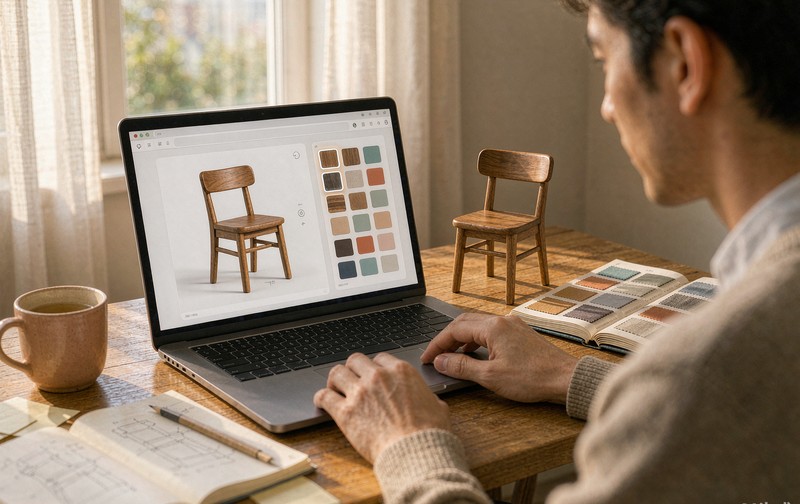
Adding 3D to a Shopify store is easy now. Adding a Shopify 3D configurator, one where shoppers actually choose materials, swap components and send a valid build to checkout, is a different project, and the store owner who assumes it is the same job usually finds out at the worst moment: after launch, when orders start coming through without usable product data.
Shopify's own documentation does a decent job with the first half. Upload a GLB model, adjust the lighting, enable "View in your space", done. What the documentation is quieter about is the ceiling of that setup, and what it costs to break through it. So here is the honest map: what the built-in tools cover, where they stop, and the three routes past that line, with real prices.
What Shopify gives you before anyone writes code
The platform accepts two model formats. GLB is the standard, up to 500MB per file, though anything over 15MB gets compressed automatically on upload and the recommended target is around 4MB for fast loading. USDZ, the Apple format, gets generated from your GLB so the same model serves AR on iPhones. You do not touch code for any of this. From the product page in the admin panel you can set exposure, background color, camera angle and zoom, and Shopify handles the viewer.
There is even a scanner. The mobile app will build a model of a physical product in ten to fifteen minutes using three scans on a supported iPhone. For a cushion or a ceramic mug this is genuinely fine. For a machine housing with machined faces, or furniture with upholstery seams, scan output tends to wobble at exactly the details customers zoom in on.
One more thing worth knowing before you plan around it: model quality decides everything downstream. A configurator built on a heavy or badly optimized model will fail on phones no matter how good the logic is. The groundwork for that is the same as any web 3D project, and it is covered in preparing CAD files for a web 3D configurator.
The gap between a viewer and a configurator
Here is the part the official guide waves past. A 3D model on a product page is a viewer: shoppers rotate it, zoom it, maybe place it in their room. It is the same model for everyone. A configurator is a model that changes based on choices, and choices that produce an order.
Shopify variants were not built for this. A variant swaps SKU-level data, and at most swaps a photo. It has no way to recolor part of a model, hide a component, or enforce rules like "this leg finish is not available with the oak top". So the moment your product has real combination logic, the built-in media type is out of options, and the question becomes how you fill that gap.
The commerce data is quiet, but Shopify itself publishes numbers that explain why stores bother. Rebecca Minkoff put 3D models and AR on more than fifty product pages and reported shoppers who viewed a product as a 3D model were 44% more likely to add it to cart, while AR viewers were 65% more likely to purchase. Oakywood, the Polish wood-accessories brand, went from almost no custom orders to somewhere between 200 and 300 per month after adding scanned models and customizers. Neither of those stories involves a static photo.
Three routes to a configurator
| Route | Typical cost | Best fit | Watch out for |
|---|---|---|---|
| Shopify app (plugin) | Free to ~$149/month | Standard options: colors, materials, sizes on mostly independent choices | Model pipeline still yours to solve; advanced logic locked to top tiers |
| Custom development | Project-based | Dense rules, made-to-order, BOM or quote output, branded experience | Needs a partner who owns both 3D and the order plumbing |
| Hybrid | App + custom glue | One custom piece inside a bought stack | Integration responsibility split across vendors |
The app route is where most stores start, and it should be. Configurator apps on the Shopify App Store cluster around $20 to $149 per month depending on how many products and how much logic you need, and several have free tiers. For a catalog where choices are mostly independent, any fabric with any frame, a good app is the whole answer. Where apps quietly hit their limit is option dependency: the moment "that combination does not exist" has to be enforced, you are paying for the top tier, and even then the rule model is whatever the vendor built. Choosing between this and a bespoke build is the same decision tree as picking furniture configurator software generally, and that piece goes deeper on the vendor side.
Custom development is the route for the products Shopify's media type was never designed for. Made-to-order cabinetry, modular machines, anything where the configuration must produce structured order data rather than a pretty screenshot. The build cost is higher up front and there is no monthly license, which is exactly why the honest comparison has to include what your catalog will look like in two years, not just what it is today. If the rules themselves are the hard part, read how a product configurator rules engine works before talking to anyone, because the rule layer is the part you cannot swap out later without starting over.
The two integration problems nobody mentions until month two
Whatever route you pick, the same two problems surface, and the sales pages never lead with them.
Variant sync is the first one. Your configurator lives beside Shopify's variant system, and they do not talk to each other by default. A shopper builds a two-tone cabinet, adds it to cart, and what reaches the order is either a generic SKU plus a note, or nothing usable. The better apps solve this by writing the selection into cart attributes as structured line items. Custom builds solve it by mapping each configuration to a real SKU or a quote request at checkout. Either way, someone has to design that mapping deliberately. It does not emerge.
The other problem is where configuration actually ends. Some stores want add-to-cart. Some want a quote request, because their pricing needs a human. Some want the configuration to flow into a CPQ or ERP. We ran into this building a 3D plus AR commerce experience for a footwear brand, where the model had to update in real time as shoppers moved between SKUs and the selection had to survive into the cart; the rendering was maybe a third of the work, the handoff was the rest. Decide this before you pick a tool, not after.
How to decide
Mostly independent options, standard Shopify catalog, budget sensitivity: start with an app, and spend your energy on model quality instead of logic.
Real dependency rules, made-to-order production, or orders that need structured data to reach a factory: custom development, planned around the rule layer and the order handoff from day one.
Somewhere between, which is where most growing catalogs land: an app for the simple products, one custom build for the product line that actually drives revenue. That split is more common than any pure answer, and it is a perfectly reasonable place to end up.
Whichever lane you are in, the next step is the same: write down, in plain language, every combination your factory refuses to make. That list, more than any feature grid, tells you which route you are actually on. If it fits on a napkin, start with an app. If it does not, talk to us and we will walk through the rules with you.
FAQ
Q: What file format does Shopify need for 3D models?
GLB is the standard format, with a 500MB upload ceiling, automatic compression above 15MB, and roughly 4MB recommended for fast loading. Shopify generates USDZ from it automatically so the same model works for AR on iOS. Other formats have to be converted before upload.
Q: Can I build a 3D configurator on Shopify without coding?
Up to a point. Configurator apps let you set up color, material and size options on a product page without code, usually from $20 to $149 per month. What no-code tools generally do not cover is dependency logic between options and custom order-data flows, which is where custom development starts.
Q: How much does a Shopify 3D configurator cost?
Apps run free to around $149 monthly. Custom development is a project cost that depends mostly on rule density and the order handoff, not on the 3D rendering itself. The honest way to budget is to count your option combinations first, then ask vendors to price against that list rather than against a generic demo.