English
 繁體中文
繁體中文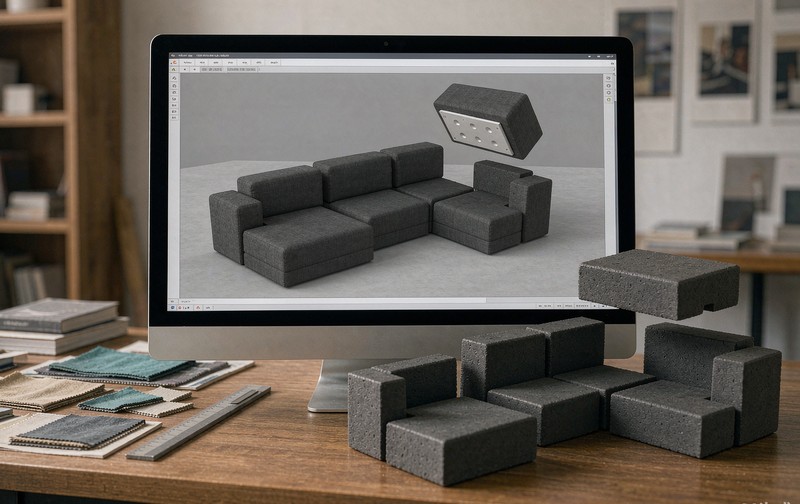
Most Shopify furniture stores start with a 3D viewer and discover, usually after the first modular sofa goes live, that a Shopify furniture configurator is a different animal. The viewer shows a sofa. The configurator has to let someone build a sectional out of four modules, price it, validate that the combination is manufacturable, and deliver something the workshop can read. A viewer that rotates beautifully does none of that.
Shopify's own media type stops well before this line. A GLB file on a product page gives shoppers a model to spin; it has no idea that a chaise can only attach to a left-arm seat. The gap is not a Shopify failure, it is a category mismatch, and the fix depends on how modular your range actually is.
Why Shopify variants break on modular sofas
Variants were designed for a fixed set of choices: size, colour, a couple of options, each one a separate SKU. A modular range multiplies instead of adding. Three seat widths, two arm styles, four fabrics, optional chaise, optional ottoman on either side, and the count leaves the hundreds behind quickly. Every one of those permutations is not a SKU you want to create and maintain.
The spatial half is the worse problem. In a modular sofa configurator, two modules that are individually valid can be invalid together, a corner unit in the wrong orientation, a chaise on an end that your frame cannot carry. Shopify variants cannot express that relationship; nothing in the variant model knows that module B must sit to the right of module A. This is the same constraint problem as product configurator rules engine work, applied to upholstery instead of cabinets.
So the practical question is not whether Shopify can do it. It is which of three routes you take, and each one has a different ceiling.
Building a modular sofa configurator on Shopify: three routes
An app with module support is the cheapest way in. A handful of configurator apps on the Shopify App Store let you define a component library and let shoppers place modules in a canvas, then map the result to a cart line. For a range of six to ten modules with simple adjacency rules, this works, and it goes live quickly. Where it thins out is rule depth and order handoff: once your factory needs structured output beyond "product X, quantity 1, note attached", you are beyond what the app was built for.
Embedding a custom configurator in the product page sits in the middle, talking to Shopify through the storefront API. You keep the theme, keep checkout, and build only the configurator as a self-contained module. This is where most serious furniture brands land once the range passes a few dozen combinations, and it is the route the decision framework in Shopify 3D configurator routes describes in more detail.
Full headless buys freedom at a cost most furniture stores do not need. Unless your catalog and pricing logic are unusually complex, the embedded approach reaches the same result with less to maintain.
Modules, rules, and the combination count nobody wants to hear
Before anyone builds, count the combinations. Not the SKUs, the valid combinations. A ten-module system with adjacency rules does not have ten configurations; it has a few hundred legal assemblies and a larger number of illegal ones that a free canvas will happily let a customer attempt.
Two consequences follow. First, the rule set is the project. Deciding which modules can meet, which fabrics are restricted to which frames, and which assemblies exceed a shipping dimension is the work that determines whether the configurator is trustworthy. Second, the interaction has to guide, not merely permit. A drag-and-drop canvas is delightful right up to the moment a customer builds a seven-metre sofa that your freight partner will refuse, and then it is a support ticket with a screenshot.
This is also where a real project differs from a demo. We have built configurators for outdoor structures where modules, roof options and scenario switching had to be constrained by what the factory could actually assemble; the rule layer, not the rendering, set the schedule.
Getting the built sofa into the cart as structured data
A configuration that ends in a pretty picture is a marketing asset. A configuration that ends in a cart line your operations team can read is a configurator.
On Shopify, that means writing the selection into cart attributes as structured line items rather than stuffing a text note, and mapping each valid configuration either to a real SKU or to a quote request when pricing needs a human. It also means deciding early what the workshop needs: a module list, a fabric code per module, a total dimension, a cut list. That last decision is the one that most often arrives in week eight and pushes a launch back, which is why the timeline discussion in how long a Shopify 3D configurator takes treats order handoff as a phase of its own.
Vendor-published schedules are worth noting as anchors, not promises. One studio states web-embedded 3D viewers typically take three to five weeks and that configurators are scoped per project; another publishes one to three months for a furniture configurator including model optimization, integration and training. A modular sofa range with dense rules sits at the slower end of that range.
Who maintains the module library after launch
The question nobody asks in the sales meeting, and the one that decides the third year of owning a configurator. A modular range changes: a fabric is discontinued, a leg profile is redesigned, a new module joins the system. Each change has to reach the 3D assets, the rules, and the pricing together, or the configurator starts selling things the factory cannot ship.
Ask who owns that loop. If the answer is the vendor and every change is a ticket, budget for maintenance as a line item. If the answer is your team, make sure the module library is documented well enough that a non-3D person can add a fabric without breaking adjacency rules. Most successful furniture configurators we have seen end up somewhere in between: your merchandising team updates commercial data, the vendor handles geometry and rules.
This is also why bespoke projects deserve a furniture-specific partner rather than a generalist studio. The work we do on custom furniture 3D starts from the module list and the rule set, not from the rendering.
Scoping the build: what to decide before week one
Write the module list and the adjacency rules first, in plain language, and get the factory to sign it. That document is worth more than any feature grid, because it is the only artifact that both your workshop and your developer can read the same way.
Then decide the ceiling. What is the largest assembly a customer should be allowed to build, and what happens when they exceed it. Then decide the smallest order: does a single module count as a valid purchase, or does the configurator enforce a minimum. Both answers change the rules layer, and both are cheaper to answer now.
If the range is genuinely modular and the rules are genuinely yours, the viewer is the easy part. The honest test of a Shopify furniture configurator is whether the module list survives contact with your factory, and that test happens long before launch. If you want a second pair of eyes on that list before it becomes code, talk to us and we will go through the constraints with you.
FAQ
Q: Can I build a modular sofa configurator with a Shopify app?
For small ranges with simple adjacency rules, yes. Apps support component libraries, canvases and cart mapping. They thin out when rules get dense or when your factory needs structured production output beyond a cart note, which is when an embedded custom configurator becomes the cheaper long-run choice.
Q: Do module combinations need to map to Shopify variants?
Not necessarily, and often they should not. Mapping every legal assembly to a variant creates an unmaintainable SKU explosion. Most projects map configurations to a cart line with structured attributes plus a base SKU, or to a quote request where pricing needs review.
Q: How many module combinations is too many for a drag-and-drop canvas?
The limit is not the count itself but whether the rules can guide placement in real time. If invalid assemblies are blocked as they are attempted and the maximum size is enforced, a few hundred legal combinations are workable. If the canvas permits everything and validates later, the same count produces abandoned carts and support tickets.