English
 繁體中文
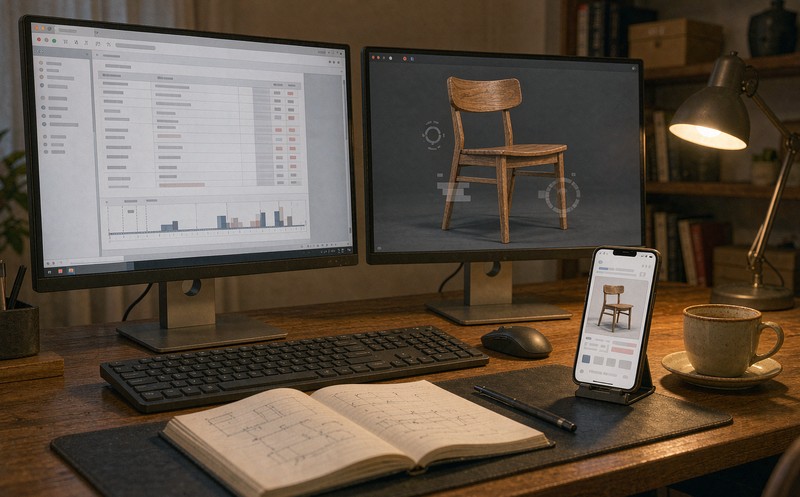
A team ships their first 3D product model on a WordPress page and it looks fine. Six months later they want options on it, and the upgrade takes three times longer than the model did. The 3D was never the hard part. A WordPress 3D configurator fails on the things WordPress does to a page before the model is even asked to render.
Here is a short list of those things, in the order they usually appear.
The canvas has no height until something gives it one
This is the first hour of most projects and it looks like a broken model.
A viewer dropped into a page builder container inherits the container's behaviour. Many builders wrap content in a flex or grid cell whose height is defined by its children. A canvas is a replaced element with an intrinsic size of 300 by 150 pixels and no content, so under certain container rules it collapses. The model loads. Nothing visible happens.
The fix is dull. The wrapper needs an explicit aspect ratio or a fixed height before the canvas is mounted, and the renderer should read its size from that wrapper rather than from the window. Getting this right also removes the resize jitter that shows up when a mobile browser hides its address bar and the viewport height changes by a hundred pixels mid-scroll.
Caching treats a 3D model like an image
A WordPress site with any traffic has at least one caching layer, often three: a page cache, an asset optimiser, and a CDN. Each of them has opinions about a `.glb` file, and the opinions do not always agree.
Page caching is mostly harmless here. Asset optimisation is where it gets interesting. Features sold as performance wins, things like deferring scripts, lazy-loading media and generating critical CSS, can delay the configurator's runtime until after first interaction, which makes a product page feel broken rather than fast. Lazy-loading is especially prone to this because a canvas is not an image and the usual lazy-load hooks do not apply cleanly to it.
The CDN is the quieter problem. Model files are large, change rarely, and should be cached for a long time, but a default configuration may treat them as uncached binaries. The symptom is recognisable once you know it: the first configuration change re-downloads the model, and the second one does too.
None of this is exotic. It is the ordinary friction of putting a real-time asset into a stack that was designed around documents.
Two plugins, one animation frame
Every WebGL scene drives itself with a render loop. So does a scroll animation library, a slider, a parallax hero, and about half the plugins on a typical commercial site.
They do not coordinate. Two loops both calling `requestAnimationFrame` on a mid-range Android phone produce a frame budget that neither can meet, and the symptom looks like a slow model when it is really a crowded main thread. The model is fine. The page is fighting itself.
The diagnostic is a performance profile rather than a code review, and the fix is usually to pause the other animations while the configurator is in view. That is a scoping decision, which is why it belongs in the project plan and not in the bug list.
Multilingual plugins clone the page, not the state
A site running WPML or Polylang duplicates pages per language, which is correct for text and awkward for anything stateful. Two language versions of the same product page can end up loading two instances of the same model, and on a slower connection the second one arrives while the first is still initialising.
The related trap is a saved configuration. A link that reopens a build in German has to resolve the same option identifiers as the English page, or the customer lands on a page with the right picture and the wrong selections. Option values stored as translated labels rather than stable codes break across languages immediately.
Where the option data should live
The default instinct is to put the option list in the page, inside the post content or a shortcode attribute. It works for six options and becomes unmaintainable at sixty.
A WordPress 3D product viewer that grows into a configurator needs its option data somewhere a non-developer can edit without touching the renderer: a custom post type, a set of fields, or a small table of its own. The renderer reads that data. The page embeds the renderer. Those are two different jobs and separating them is what makes the second year of the project affordable.
Prices are the same argument with more consequence. If the configurator holds its own price list, it will disagree with WooCommerce within a quarter. Reading price from the store and letting the configurator calculate deltas from it keeps one source of truth, and the field design for that handoff is covered in WooCommerce 3D configurator orders.
Viewer to configurator is the real project
Most WordPress teams arrive with a WordPress 3D product viewer, not a configurator, and the gap between the two is not a feature gap. A viewer shows one model well. A configurator holds a product's option space, refuses the combinations that cannot be built, and hands something structured to the next step.
That is a different kind of work, and it is the same work regardless of platform. Which makes the platform question simpler than it looks: if the option space is small and independent, an embed is enough. If it is large and the options constrain each other, the platform was never the constraint in the first place.
Model preparation is the other piece teams underestimate on WordPress specifically, because the plugin ecosystem encourages uploading whatever the designer exported. The compression and simplification pass is covered in preparing CAD files for a web 3D configurator, and skipping it is the most common reason a site that tested fine on a laptop struggles on a customer's phone.
What to check before you call it done
Reasonable people disagree about launch checklists, so here is the short one that has caught the most problems in our own work.
A cold load on a mid-range Android over mobile data, timed until the model can be dragged, catches most of it. So does changing a single option with the network panel open, because a configurator that re-fetches its model on every selection passes every other test on the list. The second-language version deserves the same look, to confirm the option identifiers match. And switching the caching plugin off once shows what it was hiding.
If those four hold, the rest is detail. If any of them fails, it will fail again for a customer in a way that is much harder to diagnose than it is now.
A 3D model embed WordPress setup that survives contact with a real site is mostly a story about these four things, not about the model. Which is good news, in a way: the expensive part of the project is the product rules, and the platform friction is a week of work if it is planned and a month if it is discovered.
If you are midway through a WordPress 3D configurator and the model renders but the options do not, describe the setup and we will tell you which of these four it probably is.
FAQ
Q: Can a WordPress 3D configurator work with a page builder?
Yes, with one condition. The builder has to hand the canvas a container with a defined size and let the renderer use that container as its source of truth. Builders that size elements from their content will collapse a canvas, and no amount of model optimisation fixes that.
Q: Should the models sit in the WordPress media library?
Usually not. The media library is convenient for small assets and awkward for multi-megabyte binaries that need long cache lifetimes and a CDN. A separate bucket or folder with explicit cache headers avoids the default behaviour that re-downloads a model on every option change.
Q: Do caching plugins need to be disabled?
Disabled is the wrong direction. They need to be configured, which means excluding the runtime from deferral, treating model files as cacheable assets, and pausing heavy animations while the configurator is in view. Turning caching off site-wide to fix one page is a trade most sites regret.
Q: How do we keep prices in sync with WooCommerce?
Read them rather than copy them. The store holds the price, the configurator reads it and adds the deltas for the selected options, and the finished configuration goes back to the cart as structured data. Two price lists in two systems will diverge, and the divergence is always discovered by a customer.