English
 繁體中文
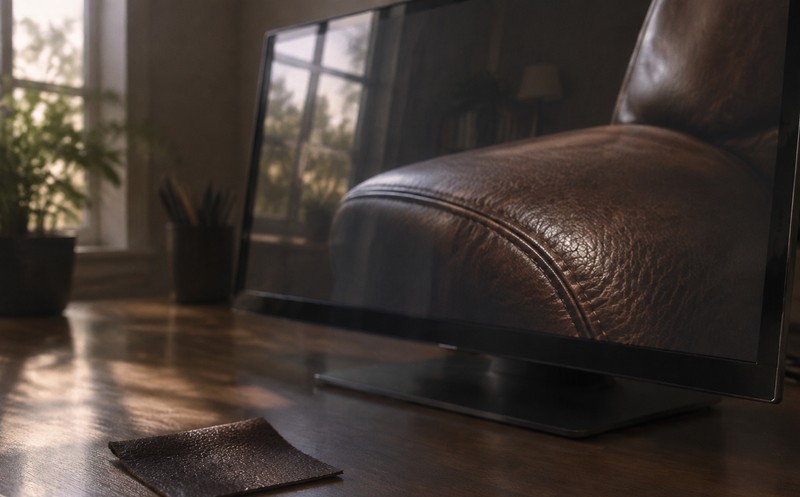
Sign-off meetings for a photorealistic 3d configurator tend to start the same way. The screen is shared, the model loads, and somebody says it looks good. Then the marketing director leans toward the monitor and asks whether they can zoom in on the stitching.
That is where the meeting changes, because viewing distance is the variable nobody writes into the brief. A rendered product is judged at whatever distance the buyer happens to be from the screen, and browser rendering holds up at some distances far better than others. Knowing which is which decides whether a build gets signed off or argued about for another month.
Three metres away, almost everything is right
At arm's length or across a desk, real-time rendering is genuinely convincing. Silhouette reads correctly, proportions hold, colour blocking is accurate, and the model turns under the mouse without a stutter. Most of the progress of the last five years sits in this layer, which is exactly why it is what every demo shows.
Closer, and the light stops behaving
Real-time global illumination is an approximation, and a browser budget makes it a rough one. Indirect light is usually baked once or faked with an environment map, so a white wall beside a dark cabinet does not tint that cabinet the way it would in a photograph. Screen-space reflections hit a harder limit: anything outside the camera frame cannot be reflected. Chrome a door handle and the reflection shows what is behind the camera, because that is all the renderer knows about. Car paint behaves the same way, which is why paint and lighting are treated as one problem in vehicle work.
Shadow maps are finite too. Push in on a fine detail and the shadow edge goes soft or starts to stair-step, depending on the resolution the page can afford to download.
Across a room none of it registers. It arrives the moment somebody pulls the image to full size, and in our experience somebody always does.
There is a configuration-specific version of this problem that general rendering guides tend to skip. Ambient occlusion, the soft shading where two surfaces meet, is usually baked into the asset. It is correct for the default assembly and wrong for every other one, because the surfaces have moved. A cabinet pushed flush against a side panel throws a contact shadow that the same cabinet pulled 200mm away should not have. Recomputing it per frame costs frame rate, and leaving it means every configuration except the default looks like it is floating slightly above the floor.
Closer still, and the materials start lying
Materials are where the gap between "photoreal" and "photographic" widens fastest. A physically based material is defined by a handful of maps: base colour, roughness, metalness, normal. Each of those maps costs memory, and memory costs loading time, so every 3d configurator rendering pipeline ships with them compressed and downsampled, and the size limits are worth understanding before the art direction is fixed. A 4K fabric scan becomes 2K, then a compressed format that is a fraction of the original. At normal viewing size this is invisible. Pulled to 200 percent, the weave becomes a smooth suggestion of weave.
Normal maps deepen the problem. They simulate surface relief without adding geometry, which is efficient and slightly dishonest. Look along a grazing angle and the illusion flattens out, because the light is no longer being told there is a bump there.
Woven fabric deserves its own note. A textile is mostly air, and light entering it scatters through the fibres before coming back out. Real-time renderers approximate that with a sheen term, which is convincing on a flat swatch and falls apart on a cushion with a fold in it, because the fold should change how much of that scatter reaches the camera and the approximation does not know the fold exists.
Then there is the category WebGL handles worst: anything transparent or subsurface. Glass table tops, thick leather, waxed fabric, translucent resin. A physically correct treatment means computing how light scatters inside the material, and that is expensive in a way a browser cannot absorb. Most configurators approximate it, and the approximation reads as plastic. This is the specific reason jewellery configurators with stones in them are so much harder than furniture with flat panels.
The last layer is not in the renderer at all
Even a technically perfect render can arrive wrong, because the screen it lands on is not calibrated. Most consumer displays ship with a colour temperature somewhere between 6500K and 7500K and a contrast curve set by the manufacturer's marketing department. The same mid-grey ships as two different greys on two laptops sitting side by side.
This is why a colour-accurate configurator still ends with a physical swatch in the buyer's hand. Blaming the renderer for this is misdiagnosis. The screen is doing what uncalibrated screens do, and no amount of shader work changes it. The honest version of the pitch names that limit instead of promising that a monitor replaces a sample.
When pixel streaming is worth the trade
Unreal Engine can render the scene on a GPU server and stream the video to the browser, and the quality difference is not subtle. Reflections and global illumination get computed properly instead of approximated, and subsurface scattering is real. The catch is that you are now shipping video, and video has latency and a server bill attached.
On a showroom screen driven by a local machine, this is close to free. On a phone over hotel wifi, it is fatal: a configurator that lags behind the finger feels broken regardless of how good the pixels are. That is why the sensible split is usually WebGL for the public site and streamed rendering for the showroom, with the same models serving both rather than two separate asset pipelines.
Decide by distance, not by adjective
Before production, settle where the buyer will be standing when they look at it. How real the rendering can get follows from that.
A handset held 30 centimetres away is the least forgiving case and by far the most common. Desktop evaluation at 60 centimetres is the default in B2B, and a 4K panel in a showroom viewed from two metres is the easiest of the three, which is also why showrooms are where the expensive rendering gets approved.
This is also why a useful brief never says photorealistic. It says something closer to: convincing on a 13-inch laptop at 60 centimetres, in an office-lit room, for a buyer comparing two finishes. That sentence can be engineered against, and the adjective cannot.
Once the distance is written down, the technical decisions follow. Texture resolution, material complexity, whether to bake or compute, whether the reflection needs to be real. Without it, every conversation turns into an argument about adjectives, and nobody wins those.
A photorealistic 3d configurator is only photorealistic at a stated distance, on a stated device, for a stated decision. Vendors who will not name those three numbers are usually selling the demo rather than the deployment. Send us a product and a screen size and we will tell you what the honest target looks like before anyone opens a modelling tool.
FAQ
Q: Can a browser configurator ever match studio photography?
At typical viewing distance on a good screen, closely enough that most buyers stop distinguishing. In extreme close-up, no. The gap is in indirect light and subsurface materials, and it is a budget question rather than a talent question.
Q: Should we render everything at 4K to be safe?
Rarely. Texture memory competes directly with load time, and a page that takes eight seconds to show a model loses more buyers than a slightly softer weave does. Match texture size to the smallest screen the configurator is actually used on.
Q: Do we need real-time reflections?
Only if the product is judged on reflectivity, which means metal, glass or lacquered surfaces shown at close range. For matte finishes viewed at desktop distance, an environment map is indistinguishable and much cheaper.
Q: Is pixel streaming worth it for a public website?
It works where the audience is on fast connections and the product justifies a heavier experience, such as a configurator for very high-value equipment. For general B2B traffic, the latency and the per-session server cost usually outweigh the visual gain.